
What Is an Alpena County Court Docket
A docket is the court's official list of scheduled events and activity in a case. It shows the parties, the type of hearing, the date and time, and the case number that ties everything together. Think of it as a calendar and an index rolled into one. When a new motion is filed or a hearing is set, the court adds a line to the docket. Reading down that list gives you the shape of a case, from the first appearance to the final order, without opening a single document.
A docket is not the full case file. The full file holds the actual paperwork, the motions, exhibits, orders, and transcripts that the docket only points to. In Alpena County the dividing line also follows the courts. Circuit-court dockets track felonies, larger civil suits, divorce, and child-protective matters, while the district-court docket lists misdemeanors, traffic, small claims, and landlord-tenant cases. Probate keeps its own docket for estates, guardianships, and mental-health proceedings. Each court schedules its own calendar, so the docket you need depends on the kind of case you are following.
How to Find Alpena County Dockets Online
Most docket lookups start on the county website. Alpena County points the public to a single Court Case Search link, and that link redirects to MiCOURT, Michigan's statewide public case search. MiCOURT can return civil, traffic, criminal, domestic, and probate cases, depending on the court. For a live day-of calendar rather than a single case, the county keeps a separate Find a Court Schedule page that routes you to the circuit and district court dockets. Both tools are free and open to anyone. The steps below move you from a name or case number to the docket entries.
- Open the county Court Case Search link, which loads the statewide MiCOURT portal.
- Pick the court type that matches your case, since circuit, district, and probate files sit in different places.
- Enter the party's full name, or the case number if you already have it, and clear the security check.
- Review the docket entries in the results, where each line shows a hearing, filing, or order tied to that case.
Note: Some courts only display criminal convictions when sentencing happened within seven years of your search, so an older case may not appear online even when it exists.
Alpena County Public Docket Display Fields
When you open a live court calendar through the state Court Display system, Alpena County dockets appear as a compact table. Each row is one scheduled matter, and a small control on the left expands the row for more detail. The columns are the same whether you are looking at a district or probate calendar for Hon. Alan M. Curtis or a circuit calendar. The inventory below lists the exact fields the public display shows and what each one tells you.
| Field | What It Shows |
|---|---|
| Expandable Row Control | A toggle on the left that opens a row for the full hearing detail |
| Party Name | The person or entity set to appear on that calendar entry |
| Time | The scheduled hearing time for the matter |
| Hearing Info | The type of proceeding, such as arraignment, motion, or review |
| Case Number | The court file number that links the entry to the full case |
| CTN | A tracking column used on the public display to identify the matter |
Courts That Publish Dockets in Alpena County
Alpena County spreads its court services across adjacent suites on West Chisholm Street, and each court publishes scheduling information through its own channel. The county gathers most of these links in one place so residents do not have to hunt across separate pages. The channels below cover every public path to an Alpena County docket, from the county schedule chooser to the statewide system.
- The county Find a Court Schedule page points to both the circuit and district court schedules for day-of docket checking.
- The Circuit Court Resources hub links Alpena Public Case Search, Montmorency Public Case Search, motion day calendars, and a hearing livestream.
- The 88th District Court page carries its own Court Case Search and Court Schedule for traffic, misdemeanor, and small-claims matters.
- The Probate Court page holds a Court Docket link plus Zoom access for estate, guardianship, and mental-health hearings.
- The statewide MiCOURT case search is the fallback for pulling a case docket by name or number across most court types.
The county schedule chooser is the simplest entry point when you only need to know who is on the calendar today.
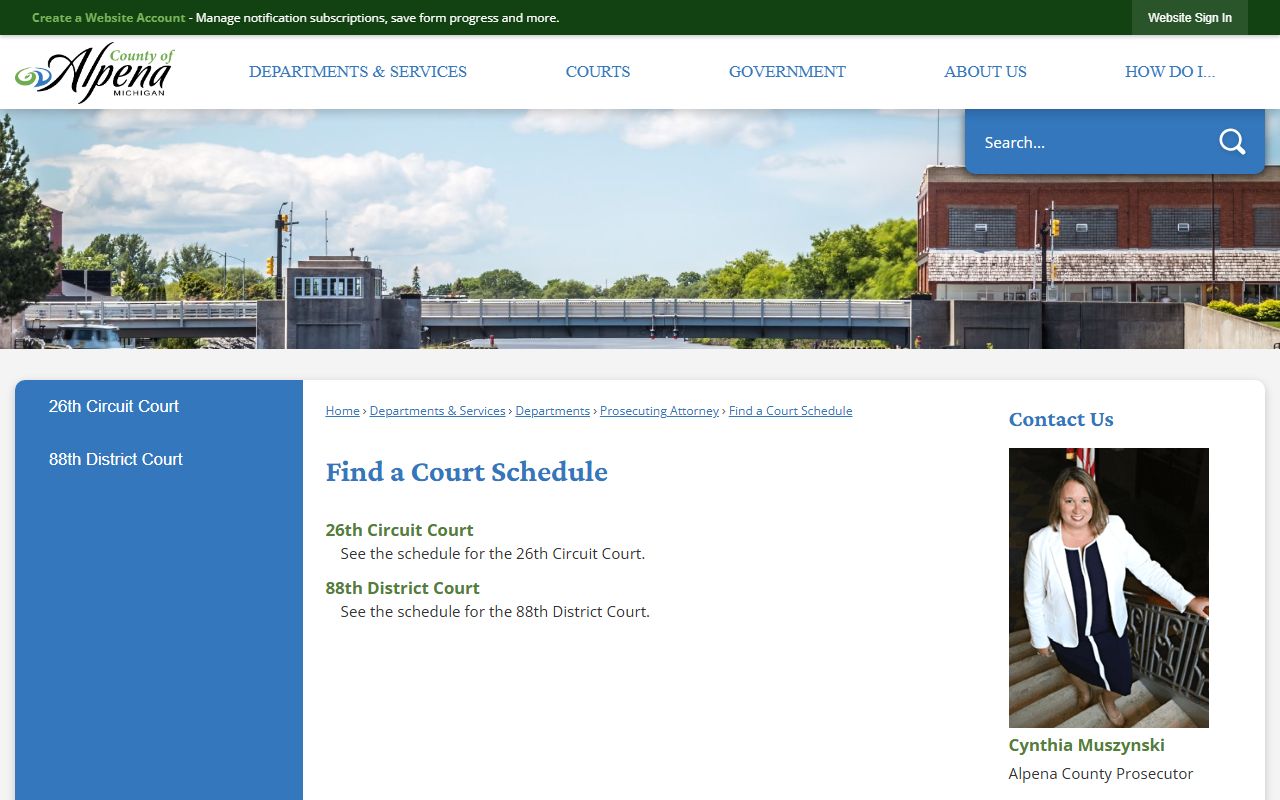
From that chooser a single click sends you to either the circuit or the district court schedule, so one bookmark covers both trial-court calendars.
Alpena County Motion Days and Calendars
Motion days are set dates when the court hears motions in a batch rather than one at a time. Alpena County posts motion day calendars through the Circuit Court Resources hub, alongside the case-search links and a livestream of proceedings. Because the 26th Judicial Circuit is a multi-county court, it serves both Alpena and Montmorency, so the resource page carries a separate public case search for each county. Checking the motion day calendar before a hearing tells you whether a matter is set and roughly where it falls in the day.
The Circuit Court Resources page is the central hub for these calendars and the livestream link.
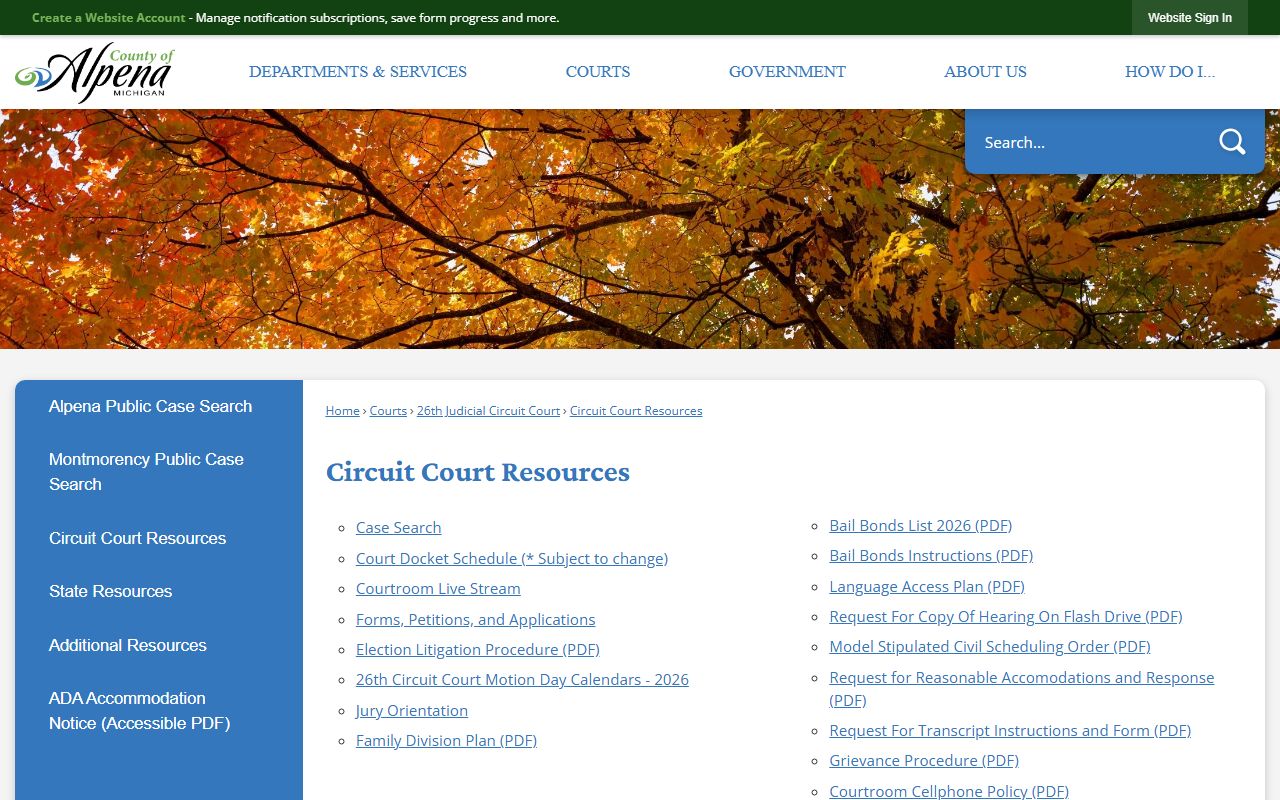
From this hub you can jump straight to the Alpena or Montmorency case search, open a motion day calendar, or watch a hearing stream without leaving the page. For a fuller picture of how the circuit court is organized, the circuit court page walks through its jurisdiction and offices.
Note: Motion day dates and livestream availability are set by the court and can change, so confirm the calendar close to your hearing rather than relying on an earlier printout.
Docket vs. Full Case Record
The docket and the full case record answer different questions. A docket is a list of events, quick to scan and usually free online, and it tells you when things happened and what comes next. The full case record is the stack of documents behind those entries, and reaching it can mean a fee or a trip to the clerk's counter. The comparison below sums up the practical differences before you decide which one you actually need.
| Docket | Full Case Record | |
|---|---|---|
| Format | List of scheduled entries and events | Complete motions, orders, and exhibits |
| Access | Often online and free through MiCOURT | May require a fee or an in-person visit |
| Use | Track hearing dates and case progress | Legal review, evidence, and certified copies |
| Where | County schedule page and MiCOURT | County Clerk, district court, or probate office |
For older files and certified copies, the full record route is covered on the court records page, which explains how to request documents the docket only summarizes.
How to Check Today's Alpena County Docket
Checking the day's schedule is a short routine once you know the entry points. Many hearings now run by video, so the state also publishes a virtual courtroom directory that routes you to the right remote room. The steps below cover both an in-person calendar check and a remote-hearing lookup.
- Open the county Find a Court Schedule page and choose the circuit or district calendar you need.
- Scan the docket rows for the party name, then use the expandable control to open the full hearing detail.
- Note the case number and hearing time, which you will need if you call the court with a question.
- For a video hearing, look up the courtroom in the MiCOURT virtual courtroom directory to find the correct remote link.
The MiCOURT virtual courtroom directory is the statewide tool that matches a courtroom to its remote-hearing room.
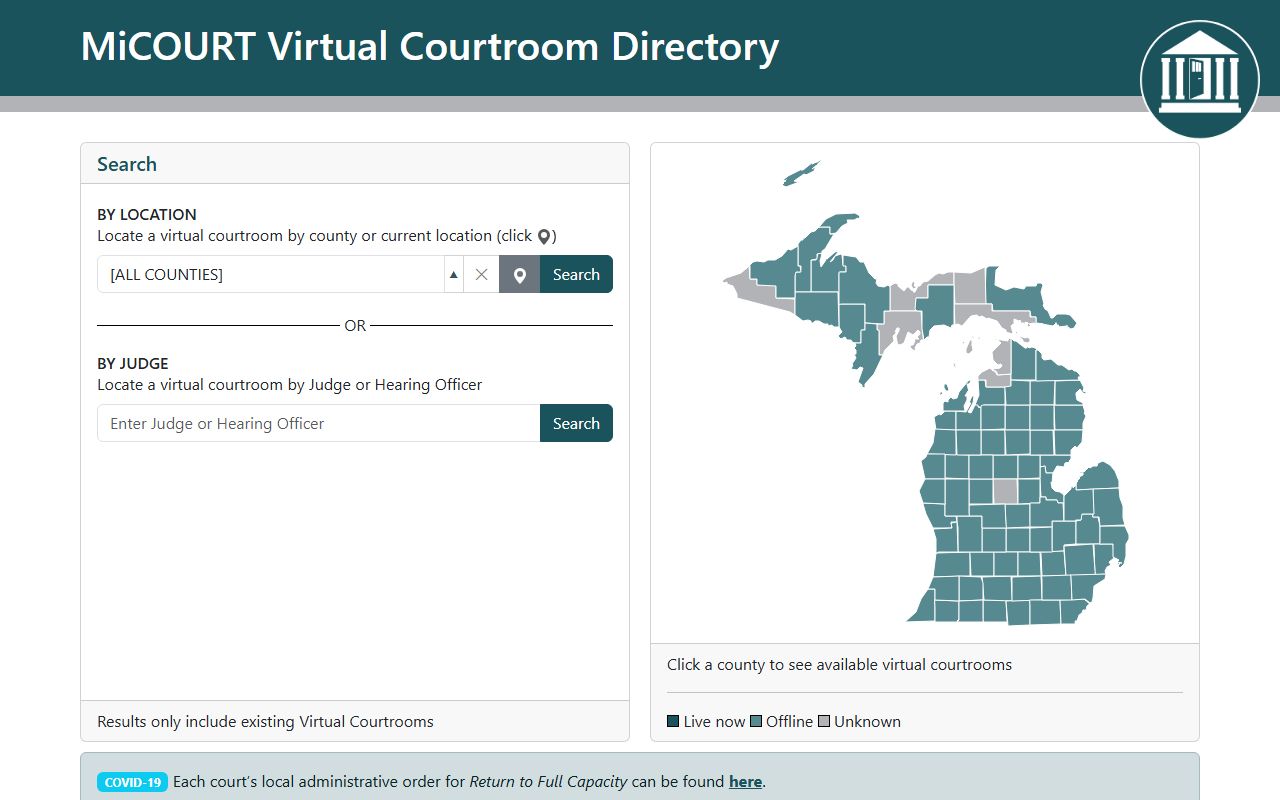
Once you find the courtroom in that directory, it hands you the connection details for the remote session, so a docket entry and a video link line up in one search.
Reading Alpena County Docket Columns
Docket language leans on a handful of terms that repeat across every calendar. Once you recognize them, a row that looked cryptic reads plainly. The public display leads with party names and hearing types, and the material behind those rows includes filings, motions, orders, hearing notices, judgment entries, continuances, and dismissals. A few core terms unlock most of what you will see.
- Party Name
- The plaintiff, defendant, petitioner, or respondent set to appear on that entry.
- Hearing Info
- The type of proceeding, such as an arraignment, a motion, or a review hearing.
- Case Number
- The file number that links the docket line to the complete court record.
- CTN
- A tracking number the public display uses to identify a matter alongside the case number.
- Continuance
- An entry showing a hearing was moved to a later date.
Note: The county does not publish one universal case-number format, so match the number exactly as the docket shows it when you contact a court or pull the full file.